
Make your own newsletter
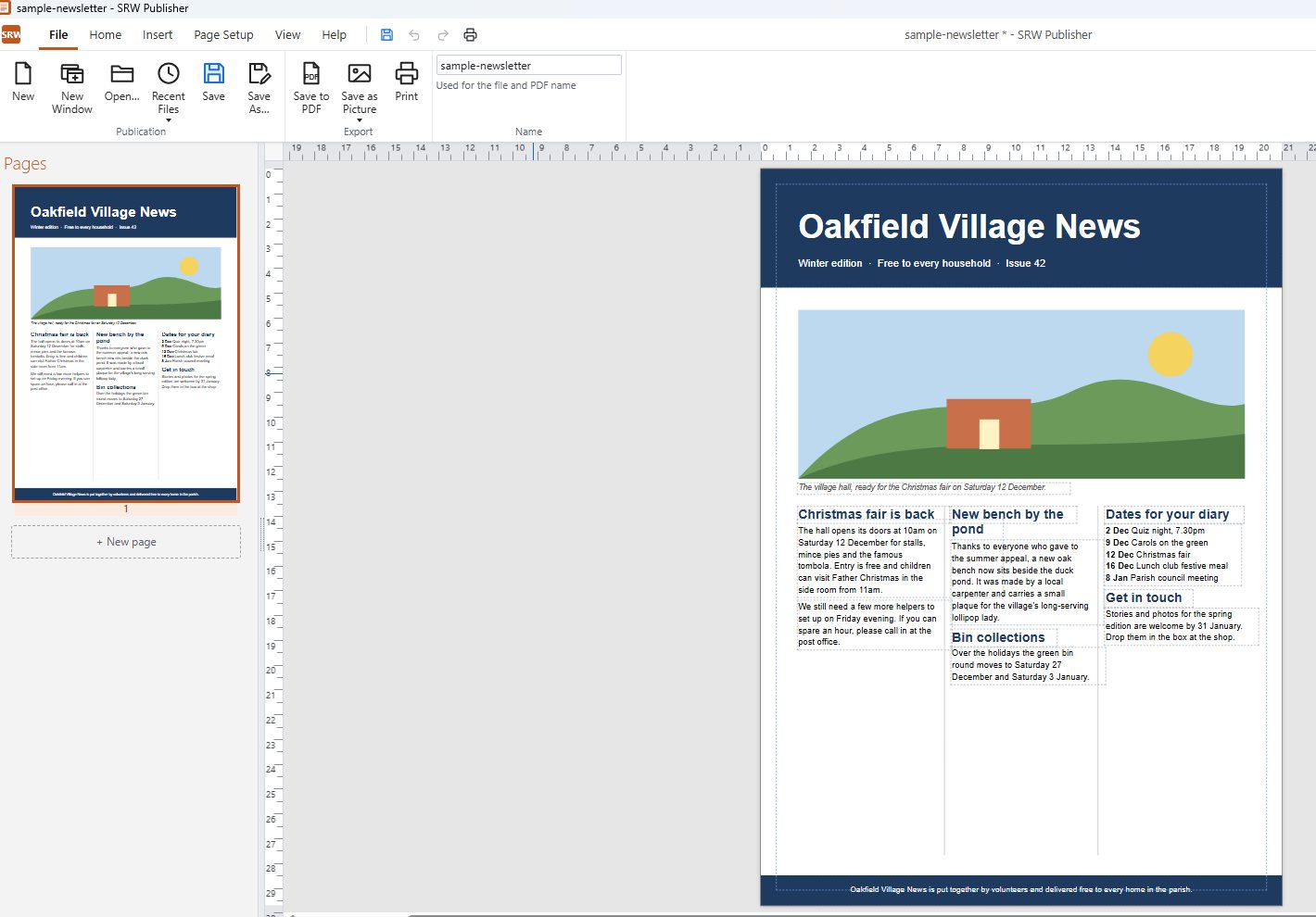
For parish and church magazines, clubs and societies, residents' and community newsletters, and school and charity newsletters. SRW Publisher is a straightforward desktop publishing program for Windows: put your words and photos on the page where you want them, then print it or save it as a PDF.
Get it from the Microsoft Store
- Try it free for 15 days
- One-off purchase, no subscription
- Works offline, no account, your files stay on your computer
What it does
Articles that flow on by themselves
Link text boxes and an article runs from column to column and from page to page. Add or cut words and the rest moves along.
Photos with the words round them
Drop a photo into an article and the words flow round it. Crop it, brighten it and add a border.
Neat, readable text
Paragraph spacing, bulleted and numbered lists, and any font on your computer.
Headers and footers
The newsletter's name, the issue date and page numbers on every page, set once.
Print it, fold it or send it
Print at home, print as a folded booklet (A5 pages two to a sheet of A4, in folding order), or save a PDF to email or put on your website. PDFs saved in Accessibility mode can be read by screen readers, so everyone can read your newsletter.
“I send out a newsletter every month for 244 residents in our community. I couldn't have asked for an easier program than this one.”
Gary, Microsoft Store review
“The program is intuitive, capable and offers excellent flexibility for combining text, photographs and multi-column layouts.”
Daniel, Microsoft Store review
Get it from the Microsoft Store
- Try it free for 15 days
- One-off purchase, no subscription
- Works offline, no account, your files stay on your computer
Moving from Microsoft Publisher? SRW Publisher opens your old .pub files too.
SRW Publisher is an independent product and is not made by, or connected with, Microsoft.